
Add recipes
Add your recipes in moments.
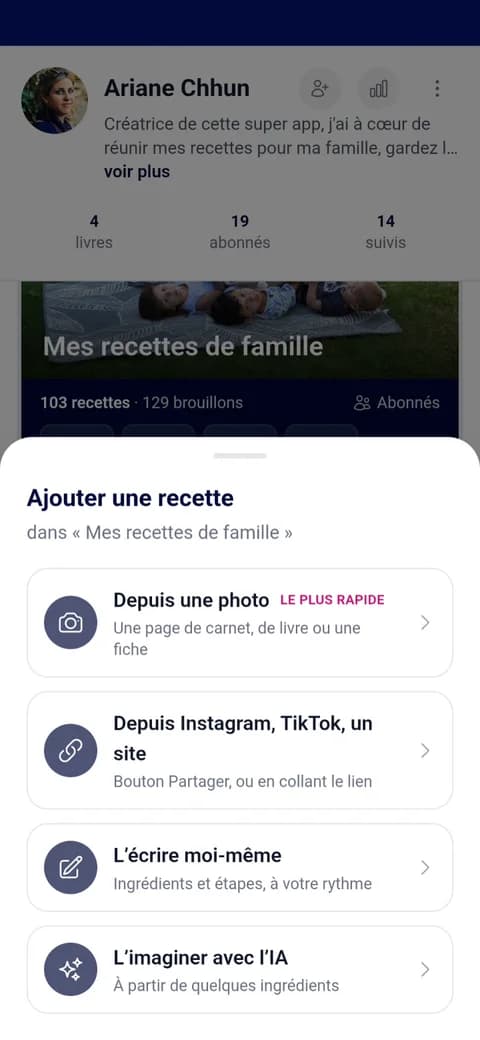
In a notebook, on a recipe card, in an Instagram video or simply in your head: take a photo or paste a link, and Cocooko turns it into a clear recipe card, ready for your book.
Four ways to add a recipe
Your recipes are already somewhere
No more copying everything out: Cocooko fetches them wherever they are and turns them into clear recipe cards.
For example
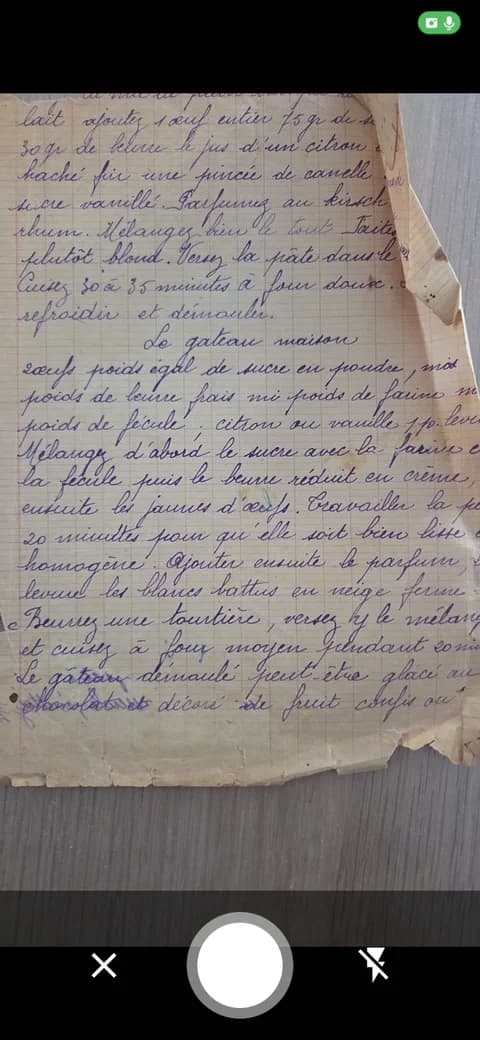
From notebook page to recipe card
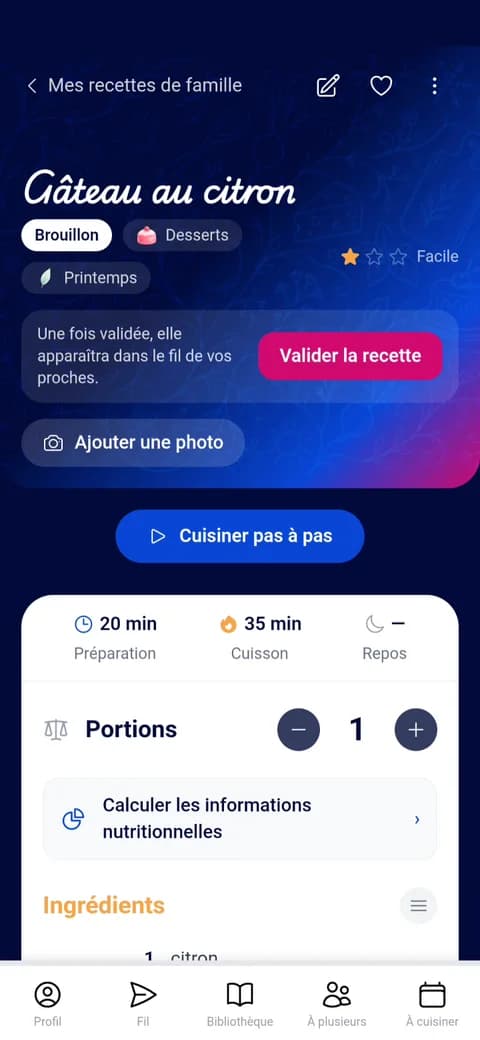
An old lemon cake recipe, written by hand. One photo, a few seconds, and it's ready: ingredients, steps, times, servings.
A complete recipe
A clear recipe, ready for your book
Once added, each recipe can be completed and becomes easy to find, cook and share.
Your photos, or a watercolour
Add your photos. No photo? Cocooko paints a watercolour of your dish.
Adjustable servings
Quantities are recalculated for 2, 4 or 8 people.
Nutritional values
Worked out from your ingredients, right through to the printed book.
The chef's tip
The little secret that makes all the difference, plus your loved ones' comments.
Cook step by step
One step at a time, in large print, while you cook.
The cooking plan
Pin the recipe, plan it into your week and add its ingredients to your shopping list.
How it works
How do you add a recipe in Cocooko?
- 1Choose how to add it
Photo, link, typing or AI.
- 2Check the recipe
Ingredients, steps, times and servings are already filled in.
- 3Complete it
Photos, tip, category, season.
- 4Put it in a book
It finds its place in the right chapter.
- 5Keep it or share it
Private, for your followers, or public.
What next
Put your recipes in a book
By chapter or by season, with a preface and your treasured photos, then print it as a real book.
Your recipe books →Together
Invite your loved ones to add theirs
Everyone adds their recipes to the same book, from their own phone: family, friends, wedding guests.
Shared books →Frequently asked questions
All about adding recipes
Can Cocooko read a handwritten recipe?
Yes. Take a photo of the notebook page or recipe card: Cocooko reads the handwriting, fills in the ingredients and steps, and corrects any mistakes. All that's left is to check it.
Where can I import a recipe from?
From a photo (notebook, recipe card, book, magazine), a link (Instagram, TikTok, a recipe website), copied text or a PDF.
What if the recipe is in another language?
It is translated into English when you import it.
Do I need to check the recipe after importing it?
A quick look is usually enough: you can change anything before saving the recipe.
Do I have to pay to use the app?
No, the app is free to use: you add your recipes, create your books and share them. Only printing the book is paid for.
Who can see my recipes?
You choose for each book: just you, the people who follow you, or everyone.
Ready to add your first recipe?
Start with a recipe you love: a family recipe, an everyday dish, an idea you found online.
Add a recipe